 Ayos
Ayos
How to Clean Up Photos on iPhone
A camera roll fills up with things nobody meant to keep: screenshots, copies, ten shots of the same moment, videos, and photos taken only to remember something. The Photos app already has tools for part of this. Start with those; they're free and already on your iPhone.
Before you start
- See how much space photos take: open Settings, tap General, then tap iPhone Storage. (Apple Support)
- If you use iCloud Photos, deleting a photo on your iPhone deletes it on your other devices too. (Apple Support)
- Deleted photos and videos stay in Recently Deleted for 30 days, so a mistake can be undone. (Apple Support)
- If you only need space and want to keep everything, turn on Optimize iPhone Storage in iCloud Photos settings: full-size originals stay in iCloud and your iPhone keeps space-saving copies. (Apple Support)
The steps below are for iOS 18 and later, where the Photos app has a Collections section. On earlier versions the same collections are under Albums.
1. Merge exact duplicates
Photos finds copies of the same photo or video for you. Open Photos, tap Collections, tap Utilities, then tap Duplicates, and tap Merge on a set. (Apple Support) Photos keeps the highest-quality version with all the data from the copies and moves the rest to Recently Deleted. (Apple Support) More in how to find duplicate and similar photos.
2. Clear screenshots and screen recordings
Open Photos, tap Collections, scroll down, tap Media Types, then open Screenshots or Screen Recordings. (Apple Support) Tap Select, tap the ones you no longer need, then tap the trash button. (Apple Support)
3. Look through receipts, documents and QR codes
Photos also groups some reference images by what's in them. Tap Collections, scroll down and tap Utilities to find collections such as receipts, identity documents, handwriting, illustrations and QR codes. (Apple Support) Many of these were useful for a day. Keep the ones you still need, like a passport photo, and delete the rest.
4. Find the big videos
Videos take far more space than photos, so a few long ones can matter more than hundreds of screenshots. See how to find large videos on iPhone.
5. Decide what to do with Live Photos
Every Live Photo keeps a short video next to the still. If you never play them, see how to convert Live Photos to still photos.
6. Empty Recently Deleted when you're sure
Deleted items stay in Recently Deleted for 30 days, and the space comes back only after that. To free it sooner: tap Collections, tap Recently Deleted, unlock it, tap Select, choose the items, then tap Delete. (Apple Support) This can't be undone.
Where cleaning up by hand gets slow
The steps above handle copies, screenshots and the reference images Photos recognizes. What's left is the slow part: shots of a parking-garage pillar, a shelf you photographed to remember what to buy, the Wi-Fi password on a whiteboard, a meme someone sent, ten near-identical shots of the same view. They aren't copies and they aren't screenshots, so they sit among your real photos, and finding them means scrolling through years of camera roll one by one.
How Ayos helps with the rest
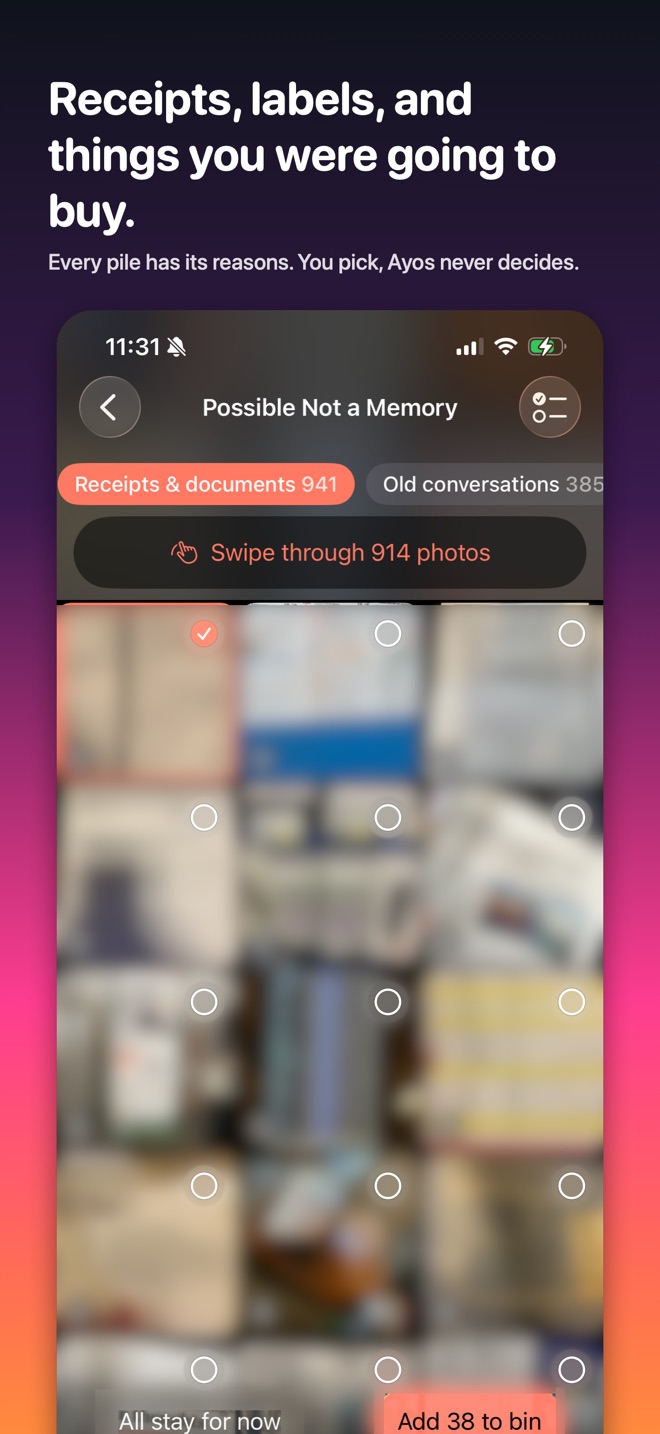
Ayos goes through your library on your iPhone and sorts what it finds into piles. Possible Not a Memory holds the photos that were useful once: receipts and documents, products and shopping, reference shots, memes and saved images, and old screenshots. Next to it are Similar photos with a suggested best shot, Screenshots sorted into conversations, receipts, orders and more, Blurry, Large videos, Live Photos and Selfies.
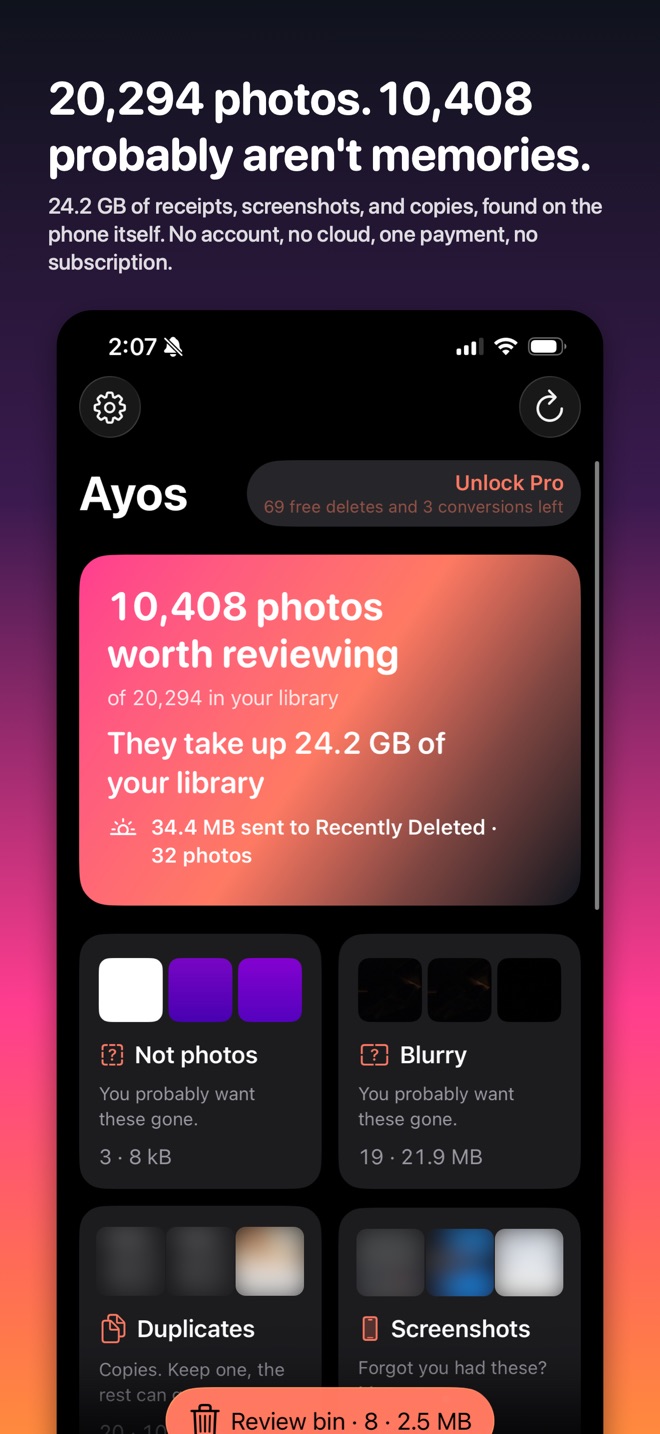
Every photo comes with the reason Ayos picked it, like "Screenshot, four years old, text in English," so you can decide quickly. Your favorites, hidden photos and photos you filed in your own albums are never suggested.
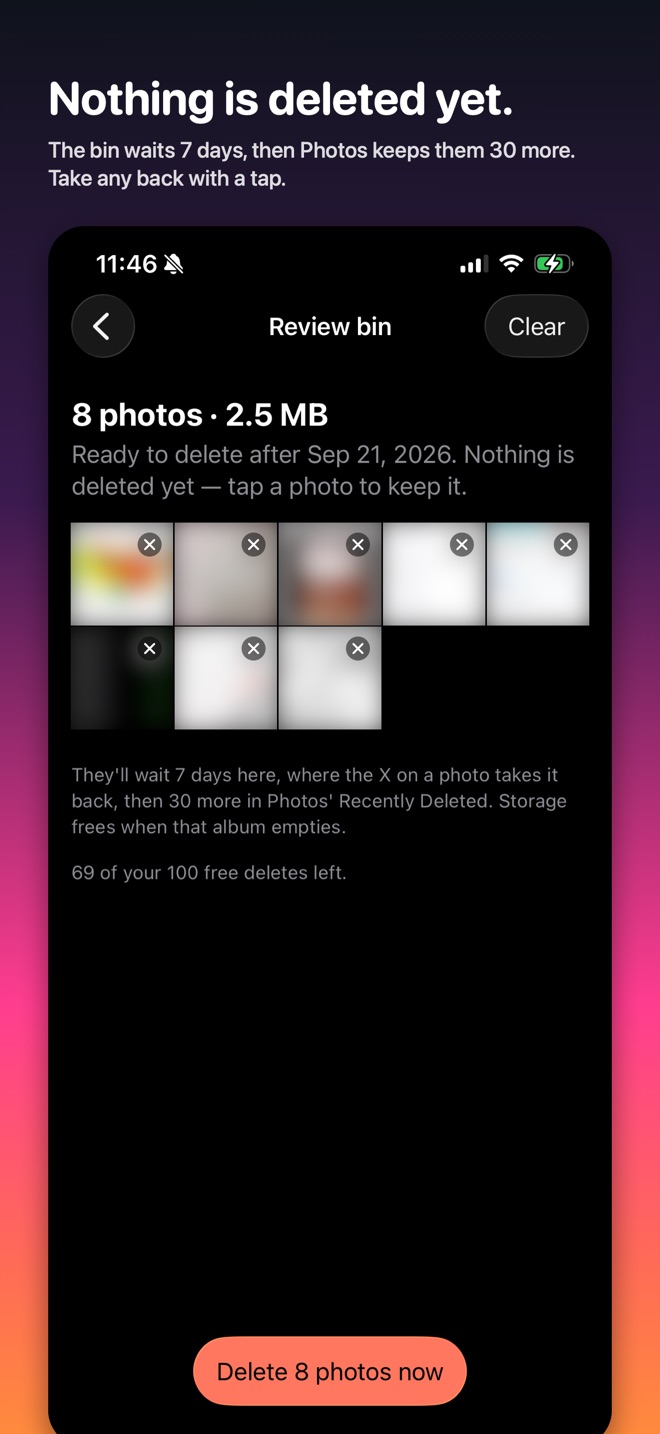
Nothing is deleted until you say so. What you pick goes to the Review bin and waits there 7 days, where you can take any photo back. Then Photos asks you once more, and the photos stay in Recently Deleted for another 30 days.
Ayos runs entirely on your device, with no account and no analytics. Scanning and reviewing are free, and so are your first 100 deletes. Ayos Pro is one purchase with no subscription. Ayos is also on Mac and Android.