 Ayos
Ayos
How to Find Duplicate and Similar Photos on iPhone
There are two different problems here. A duplicate is the same photo saved twice, like a picture you downloaded again or imported twice. Similar photos are different shots of the same moment: a burst at a birthday, five tries at a sunset, the one where everyone blinked. The Photos app handles the first one for you.
Merge duplicates with the Photos app
Since iOS 16, Photos finds duplicate photos and videos by itself and gathers them in a Duplicates collection. (Apple Support)
- Open the Photos app.
- Tap Collections, then tap Utilities, then tap Duplicates.
- Tap Merge on a set of duplicates, then tap Merge [number] Items.
(Apple Support) Merging keeps the highest-quality version, with all the relevant data from the copies, and moves the remaining duplicates to Recently Deleted (Apple Support), where they stay for 30 days (Apple Support).
Don't see Duplicates? Either your iPhone hasn't found any, or it hasn't finished looking. It searches while it's locked and connected to power, and on a large library that can take a few days. (Apple Support) On iOS 16 and 17, look under Albums instead of Collections.
Similar shots are a different job
Duplicates collects copies of the same photo or video. Shots that differ, even slightly, are separate photos, so they stay in your library side by side. Sorting those by hand means opening each set of near-identical pictures, comparing them, and deleting all but the one you like.
How Ayos handles similar photos
Ayos puts near-identical shots of the same moment into groups, in a pile called Similar photos, and marks the one it suggests keeping with a Best badge. Nothing in a group is ticked until you say so, and the best shot stays out of the way while you choose the rest.
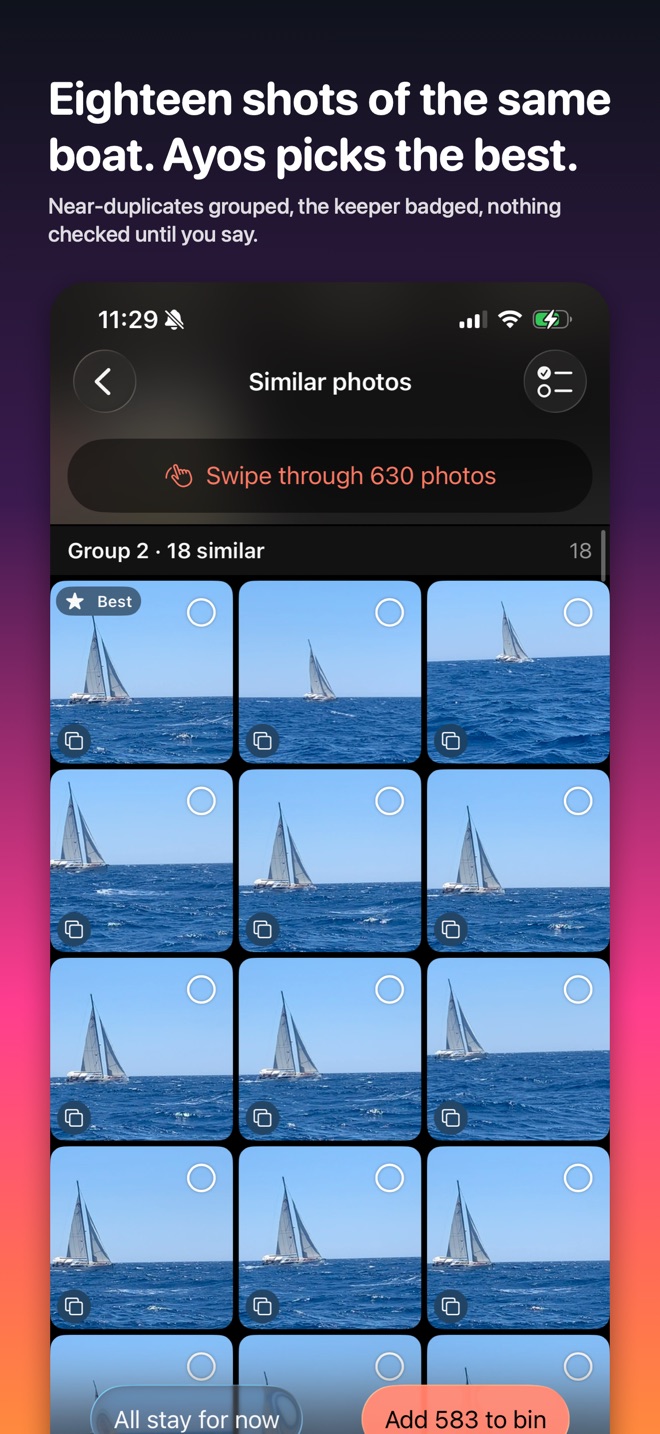
Ayos has a Duplicates pile too, for exact copies. If you've already merged them in Photos, it's the similar shots where Ayos saves you the most scrolling.
What you choose goes to the Review bin first and waits 7 days, so you can still take any photo back. Then Photos asks once more and keeps them 30 days in Recently Deleted. All of it happens on your device.
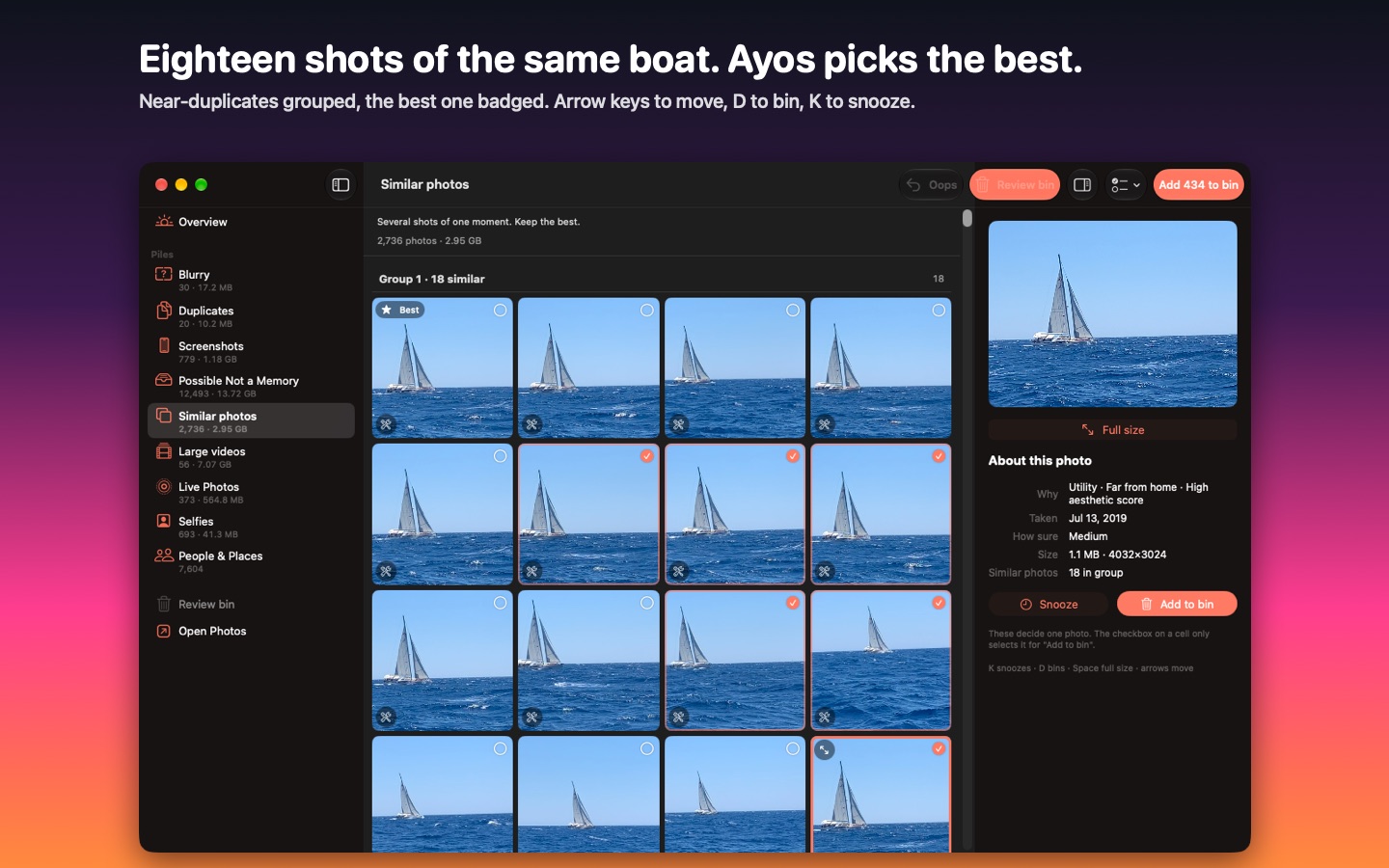
Similar photos works the same way on iPhone, Mac and Android.